Domain and category rules
Choose which websites your team can use.
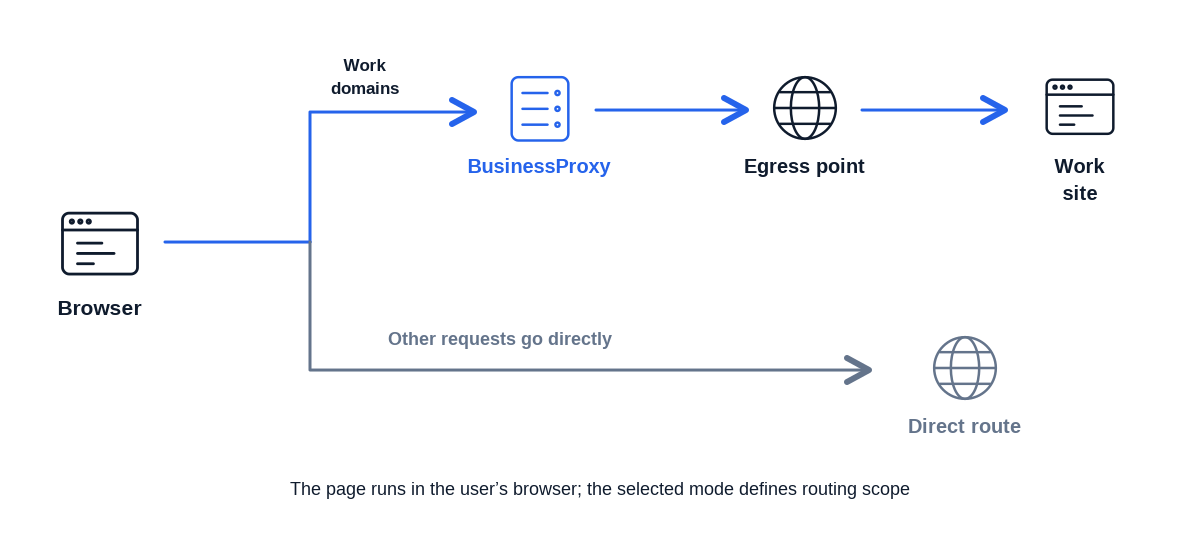
Set access rules for website domains and categories. The rules apply to browser requests that pass through BusinessProxy.
Example rules for your team
Example
| Requirement | Configuration | Result |
|---|---|---|
| The team needs its CRM | Allow the CRM domain and the domains required for sign-in. | Employees can open the CRM and sign in. |
| A category is not needed for work | Restrict the category in workspace policy. | Requests are blocked by that policy. |
| A specific service is needed | Review the domain and add an exception for it. | The exception meets the need without changing the whole policy. |
Test sign-in, files and embedded content
A web application may use separate domains for sign-in, files and embedded resources. After changing policy, test sign-in and the main tasks to make sure a required dependency is still reachable.
The rules apply to requests sent through BusinessProxy. Use company browser policies when employees must not be able to change those settings on work computers.
- Select the workspace
- Define the required domains and categories
- Test sign-in and resource loading
- Tell employees how to request access to a site
Filter destinations without decrypting page content
Browser Proxy checks domains, website categories and network metadata without decrypting HTTPS page content. Use your organisation’s DLP controls for data inside files and across other channels.