
For integrators and service providers
Support several clients’ web applications from one account.
A client can invite your specialist to a web application or let your team manage access. Use a dedicated service account to automate repeatable tasks through the API.
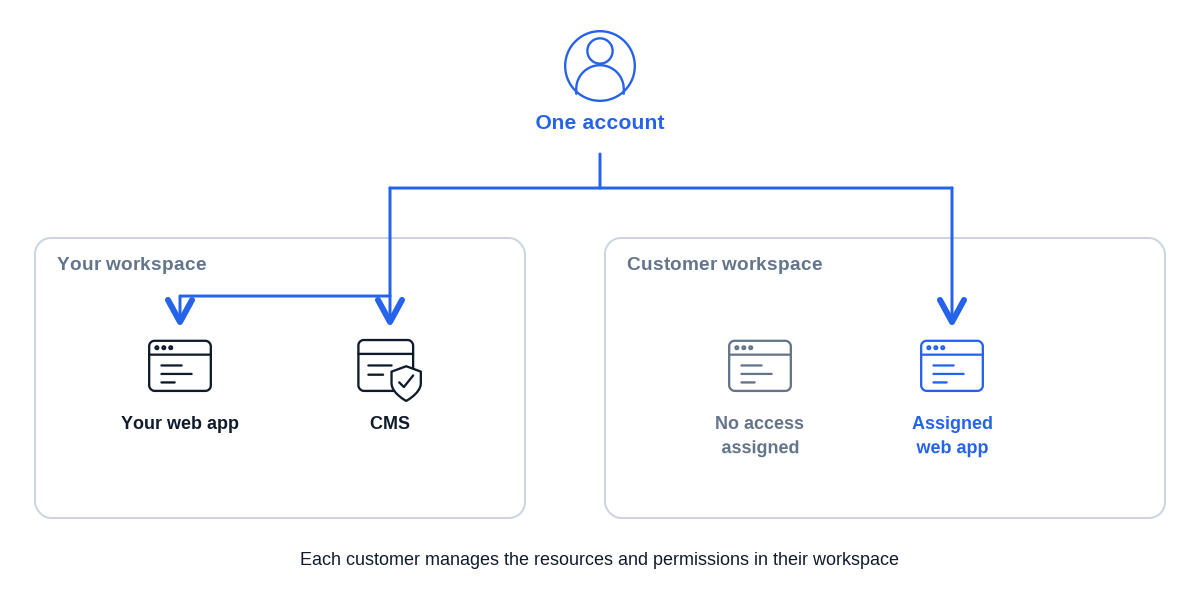
Choose the right relationship for the work
The client invites your account and assigns the web application. Doing the work does not require becoming a client workspace administrator.
The client links its workspace to the partner and grants permissions. Your team can perform authorised tasks without sharing the client’s password.
Give a service account selected API scopes and an allow-list of client workspaces.
Agree who grants access, who manages it and who pays
Agree on all three before connecting the first client.
| Question | Working arrangement |
|---|---|
| Who owns the environment? | The client workspace contains its web applications, members and policies. Your own resources stay in your workspace. |
| Who can open web applications? | Assigned people. One web application invitation does not expose every client resource. |
| Who can change permissions? | Client administrators and partner staff with the appropriate delegated permissions. |
| Who pays for services? | The payer selected for the service. Inviting a specialist does not make them pay for the client’s service. |
| What happens when the contract ends? | Revoke the relevant invitations and delegation. Review native web application accounts separately. |
Manage access in the workspaces your client assigns
Delegated administration applies to specific client workspaces.
- Check the client’s web applications and connectors within your assigned permissions.
- Manage members and invitations within the permissions granted.
- Maintain supported group access rules for private web applications.
- Check management events to see who changed a setting and for which client.
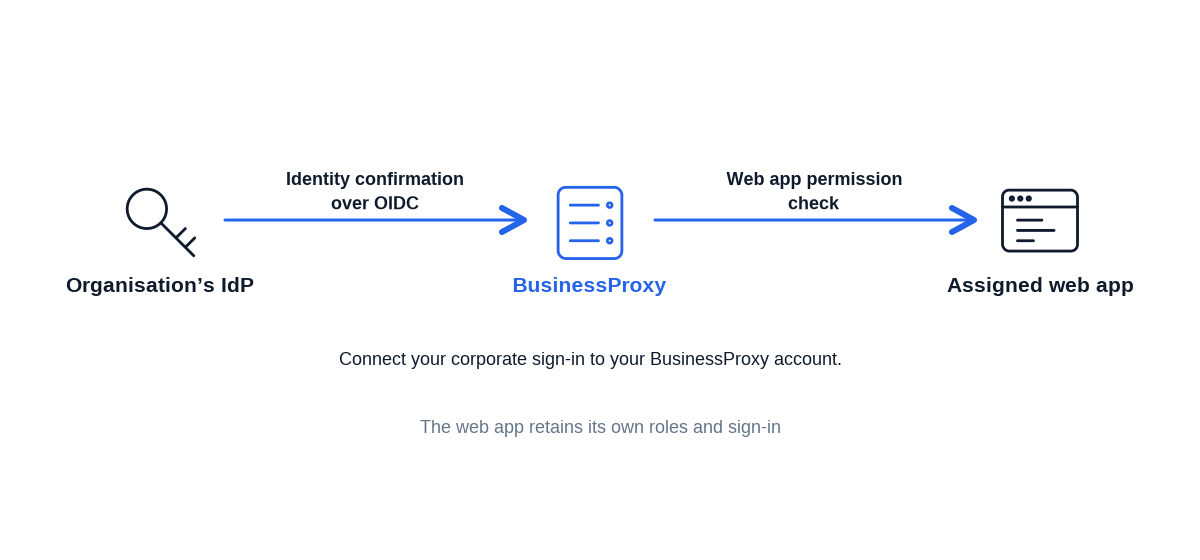
Move repeatable configuration into the API
Read client web application inventories, create support groups and apply their access rules through the API.
Estimate web application, CMS and Browser Proxy costs
PAYG only. No fixed client-count partner package.
PAYG bills for web applications, CMS sites and Browser Proxy users. Charges run from enabling a service until you pause it, including time without open tabs. Delegated administration does not create another paid access service.
A published web application can use its own configured domain. Sign-in, the portal and service messages retain BusinessProxy branding.
Before an engagement starts
Does every client need a separate specialist account?
A specialist can use one personal identity across different workspaces. Each workspace grants its own permissions.
Does delegation provide every administrator operation?
No. The client selects the workspaces and permissions. Partner specialists can perform only the operations their roles allow.
Can a script use a service account instead of a shared password?
Yes. Supported API operations use scoped service accounts. They do not sign in to client web applications as ordinary users.
Start with one client environment
Tell us which web applications you support, what your specialists need to configure and who will pay for the services.