
For organisations
Manage employee and contractor access to your web applications.
Choose which web applications employees and external specialists can open. Use corporate sign-in, keep customer resources in separate workspaces and review or revoke access from one place.
Give employees and contractors access to a business web application
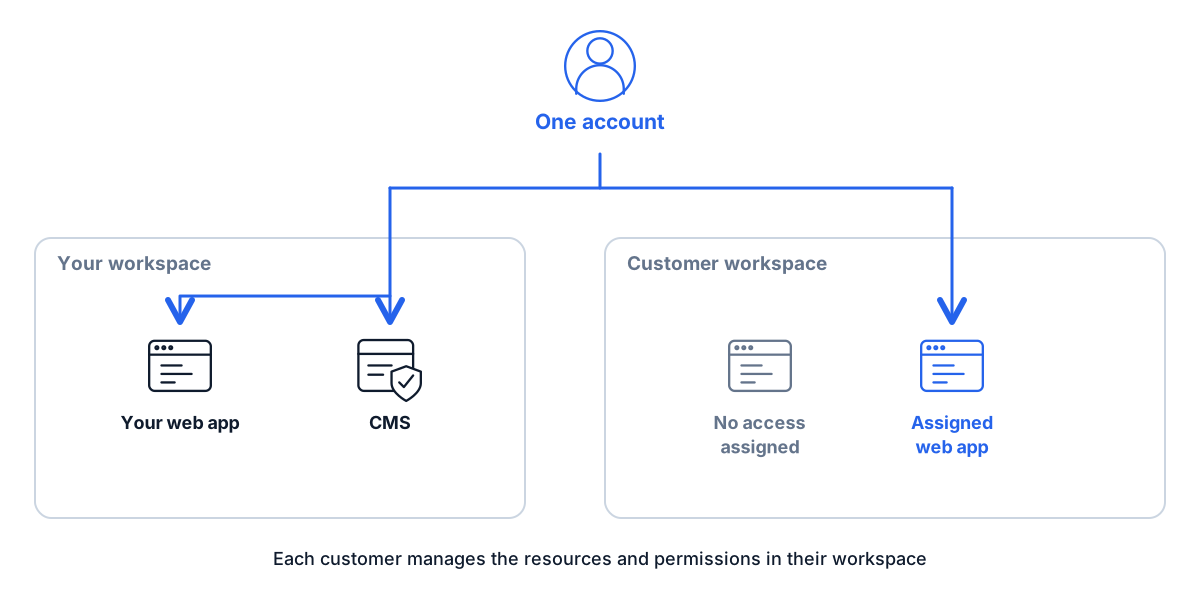
Your organisation owns the workspace and web application. An employee signs in with a corporate account. A contractor uses their own account and opens only the resources you assign for the project.
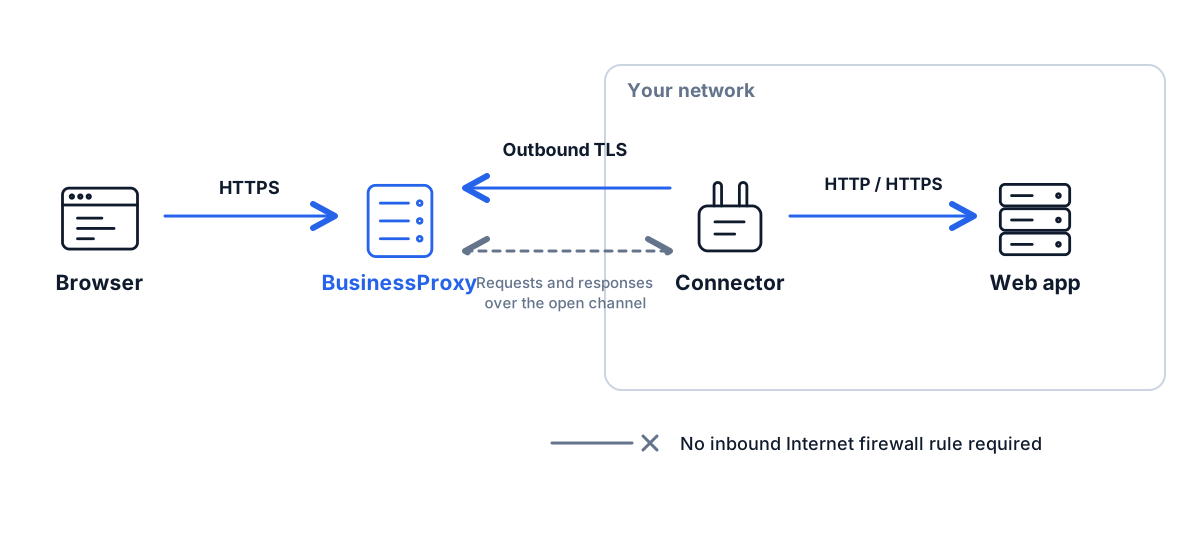
Install the connector in your network and connect the web application to its BusinessProxy HTTPS address. Grant each person access, then test sign-in and their everyday tasks.
When the contract ends, revoke the contractor’s access and end their BusinessProxy session. Also review their roles in the web application and revoke any independent sessions or direct access at the original address.
Use the corporate identity you already manage
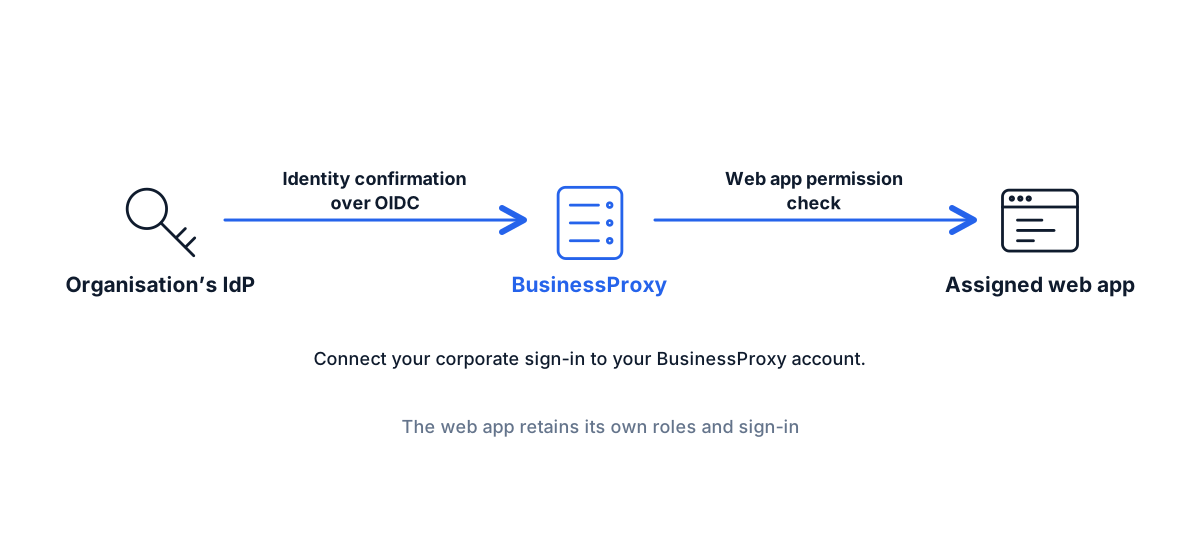
Connect an OIDC provider and let users link their corporate identity to the BusinessProxy account. AD FS account linking and subsequent sign-in are supported.
Set up corporate sign-in in the workspace and test it with a user. Then grant resource access using the permissions and group rules available for that connection.
Decide who revokes access when a person changes roles or leaves. Corporate sign-in alone does not handle this. Check separately whether directory integration can automate access changes for your organisation and what setup it would need.
Choose who manages, uses and pays for resources
Owns the workspaces and resources, chooses administrators and grants access.
Uses their own account and sees the customer workspaces and web applications made available to them.
Pays for the selected services. Payment does not grant resource access, and an invitation does not transfer resource ownership.
See who is connected and revoke access when needed
See current BusinessProxy connections and the resources people are using. End a session or revoke access when needed.
Export available access events to the monitoring tools your team uses.
Deploy the supported extension through existing company browser policies when browser-side controls are required.
For each web application, check sign-in, redirects, the connector’s access to it and restrictions on its original address.
Connect and test your first web application
Choose the web application
Choose a web application or CMS and identify employees, contractors and the administrator responsible for it.
Choose how people connect
Select the service, identity method, user permissions, network path and recovery process.
Test each user’s access
Check that users can do their work, cannot open unassigned resources and lose access when you revoke it. Test recovery and support procedures too.
Add more resources
Add resources in stages. Choose who grants access, provides support and pays for each service.
Choose how your team works
Connect private applications and CMS sites, configure work websites, corporate sign-in and PAYG services.
A server-based workspace for employees and contractors, accessed from an ordinary browser tab. Available on request.
Add video recording for reviewing contractor work, investigating incidents and training. Connected as a separate option.
The same PAYG rates for organisations
Estimate your web applications, CMS sites and Browser Proxy users in the calculator. You pay while each service is enabled. Pause it to stop charges. Choose who will pay for them. There is no separate Enterprise package.
Discuss connecting your company’s web applications
Tell us which web applications your team needs, where they run and which sign-in provider you use. We can discuss the connection and who will manage access.